NSW incident awareness

Get the latest updates on bushfires and incidents from the NSW Rural Fire Service, NSW State Emergency Service and other services.

10 Watch Zones
24/7 Incident updates
NSW Official services
Know what to do faster

Simple pathways for checking hazards, getting prepared, and finding official information.


Check nearby incidents

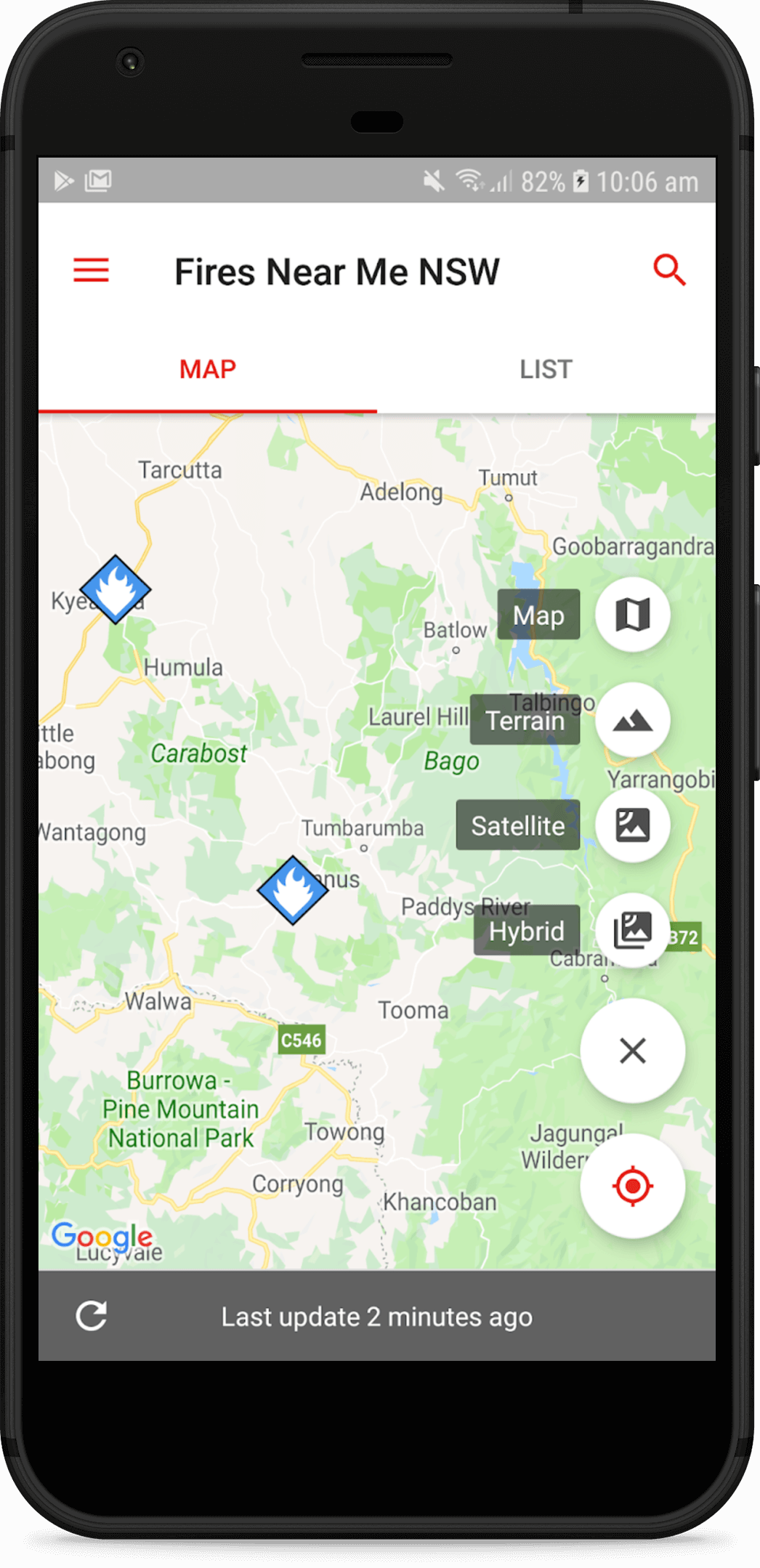
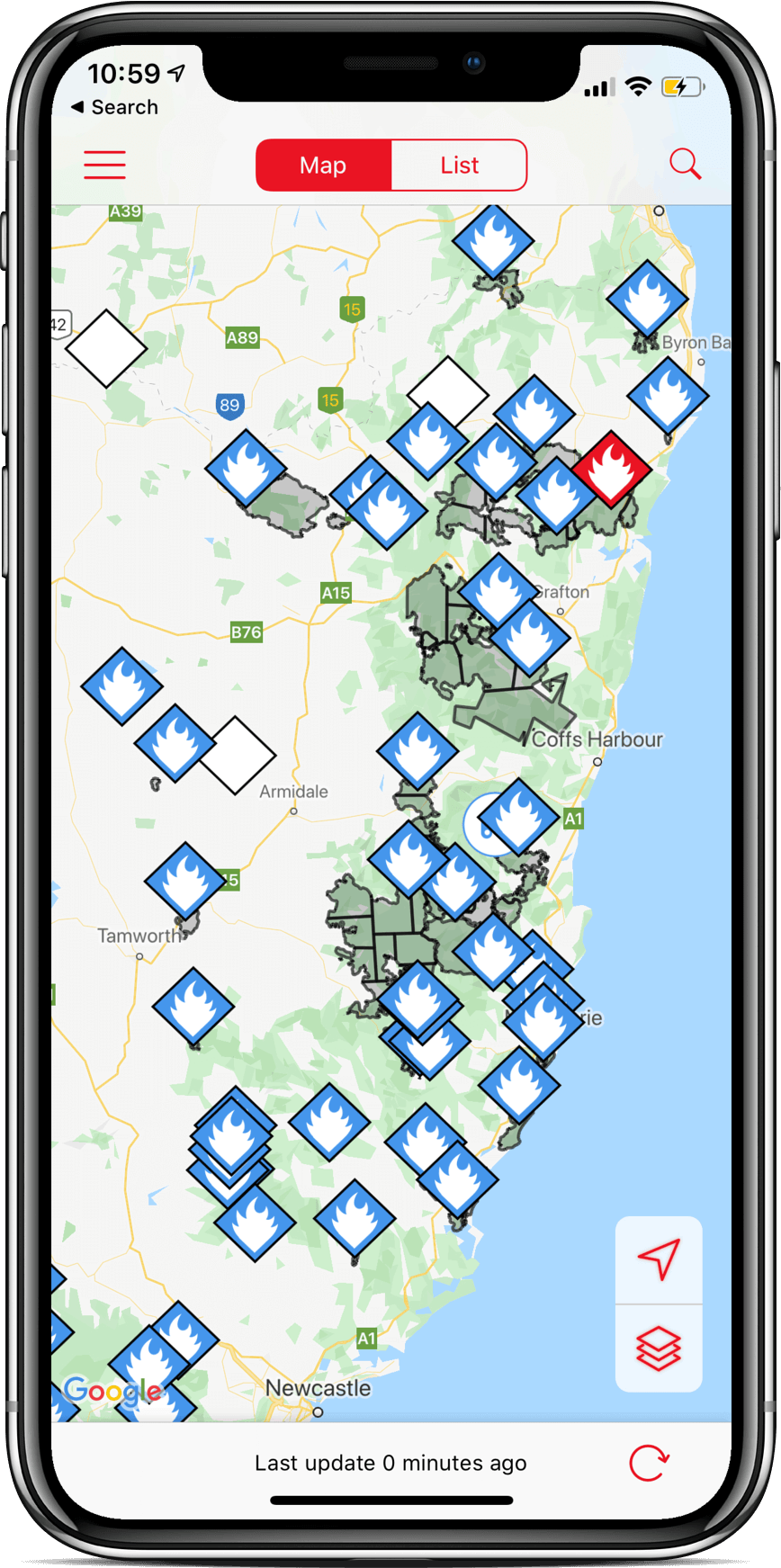
Use the app to view warning levels, incident locations, and areas that may be affected.

Get the app

Set Watch Zones

Create alert areas around your home, workplace, school, or places your family visits often.

Start checklist

Use official channels

During an emergency, follow advice from NSW RFS, NSW SES, emergency services, and local authorities.

Find channels

Download the App

The best way to stay updated about incidents in your area is to install the “Hazards Near Me NSW” Application on your Smartphone or Tablet

Tip: after installing, enable notifications and add Watch Zones for the places that matter most.

Visit ses.nsw.gov.au for Storm, Flood and Tsunami Information
Visit firesnearme.com.au for Bushfire Information

Understand warning levels

A quick guide to help people read alerts with confidence.


Advice

Stay informed

Conditions may change. Keep checking official updates and make sure your plan is ready.

Watch and Act

Act now

There is a heightened threat. Be ready to leave or take protective action if advice changes.

Emergency Warning

Follow directions

You may be in danger. Follow emergency warnings immediately and prioritize safety.

Features offered by the Hazards Near Me NSW App

Receive messages as incidents are reported and updated.


Tablet or Smartphone, Apple or Android

All modern devices supported

Near Real-Time Updates

See the Warning Levels, locations of incidents, and affected areas quickly and easily

Receive Push Notifications

You can set up to 10 Watch Zones, and recieve alerts when incidents are reported in that area.

Always Current and Updated

Don't rely on alerts shared on Social Media - see the most current data direct from NSW RFS and NSW SES

Prepare before conditions change

Small actions done early can make emergency decisions clearer.


1

Plan

Agree where you will go, what you will take, and how your household will communicate.

2

Pack

Keep essentials together: medication, chargers, documents, water, clothing, and supplies.

3

Monitor

Use official alerts and leave early when advised, especially if travel routes may be affected.

Your quick safety checklist

Tick items as you prepare. Your progress is saved in this browser.

0 of 6 complete

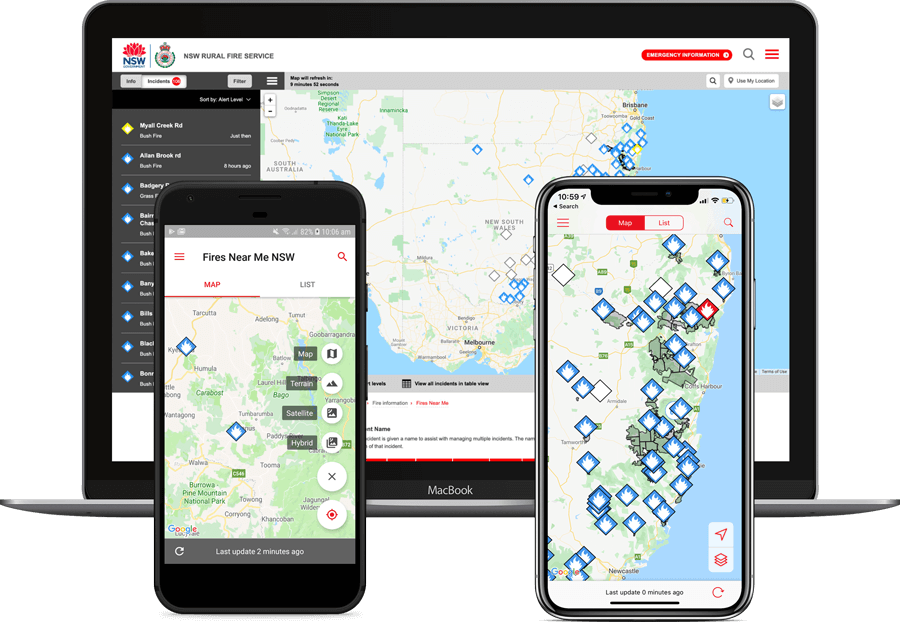
Hazards Near Me app shown on mobile devices

FAQ & Reviews

Common questions and practical feedback from people who rely on timely hazard information.


What is Hazards Near Me NSW?

Hazards Near Me NSW helps people receive updates about bushfires, floods, storms, tsunami warnings, and other incidents from official NSW emergency services.

Can I get alerts for my own area?

Yes. The app lets you create Watch Zones for places such as your home, workplace, school, or family locations so you can receive relevant notifications.

Is the app available for iPhone and Android?

Yes. Hazards Near Me NSW is available through the Apple App Store and Google Play for modern smartphones and tablets.

What should I do during an emergency warning?

Follow official instructions immediately, monitor emergency service updates, and call Triple Zero (000) if life or property is under immediate threat.

"Clear warning levels and official sources help our household decide when to check our plan and act early."
Family safety planner Regional NSW user
"Useful for quick awareness, especially when weather changes and I need to check official information fast."
Commuter and property owner Greater Sydney user

Connect on Social Media